

Feeling sick but dreading the thought of a clinic waiting room? It turns out the solution is probably already in your pocket. The ability to find a telehealth doctor near me connects you with a board-certified physician right from home, often in less than an hour. This shift to virtual care means getting diagnoses, treatment plans, and even prescriptions for common issues without ever leaving your couch.
Why Your Next Doctor Visit Might Be Virtual
The days of shuffling your entire schedule around for a 15-minute doctor's appointment are quickly fading. Virtual healthcare has gone from a niche service to a go-to choice for millions of people who need fast, convenient medical attention. This isn't just about saving time—it's about a fundamental change in how we get medical care.
Think about a busy parent with a sick kid, someone living in a rural town miles from the nearest clinic, or anyone who needs discreet care for a sensitive problem. For all of them, telehealth is a game-changer. Instead of battling traffic and germ-filled waiting rooms, you get professional medical advice right from your phone.
The Driving Force Behind Virtual Care
The explosion in telehealth adoption isn't a fluke. It's a direct response to its undeniable benefits and the growing demand for healthcare that actually fits into our lives. The numbers tell the story loud and clear.
Telehealth is no longer just a backup plan; it's a core part of modern medicine. Projections show that by 2026, up to 30% of all U.S. medical visits could be remote, signaling just how deeply it's becoming integrated into our healthcare system.
This trend is fueled by real-world needs. In the last year alone, 54% of Americans used telehealth services, driven by everything from mental health support to urgent care needs like allergy flare-ups or quick prescription refills. This massive user base has helped the U.S. telehealth market swell to an incredible $42.54 billion in 2024. You can read more about these telehealth statistics and market growth to see the full picture.
How Text-Based Telehealth Works
When most people hear "telehealth," they immediately picture a video call. But modern services like ChatWithDr often rely on a much more convenient text-based approach. This model is perfect for handling common, non-emergency conditions without the hassle.
Here’s a quick rundown of what that experience is like:
- No Video Required: You can communicate with your doctor on your own time, without needing to find a quiet spot or be camera-ready.
- 24/7 Access: Get medical advice whenever you need it—whether it's the middle of the day, late at night, or over the weekend.
- A Simple Process: Just describe what’s wrong, upload a photo if it helps (like for a rash), and a state-licensed physician will review your case.
- Fast Treatment: You get a diagnosis, a personalized treatment plan, and any necessary prescriptions sent straight to your local pharmacy.
This approach makes finding a telehealth doctor near you a simple, stress-free way to get the care you need, exactly when you need it.
Where to Start Your Search for an Online Doctor
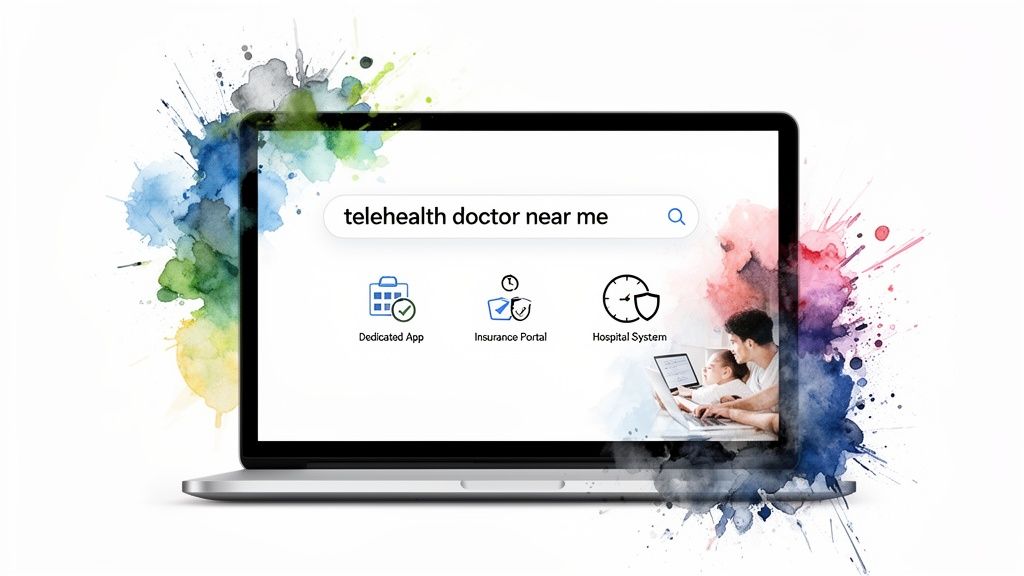
When you decide it’s time to see a doctor online, the sheer number of options can feel overwhelming. The good news is, you really only need to look in one of three places. Knowing where to start your search makes the whole process faster and helps you find the right fit for your specific health needs.
Your best choice will depend on a few key factors. Are you dealing with something urgent? Are you trying to manage costs? Or are you looking for ongoing care for a chronic condition? Let’s break down your main options.
Dedicated Telehealth Platforms
Think of these as the digital urgent care clinics of the world. Services like ChatWithDr are built from the ground up for one thing: getting you fast, virtual medical care. They specialize in providing 24/7 access to physicians for a huge range of common health issues, making them the most direct route to a quick diagnosis and prescription.
The biggest win here is speed and simplicity. Most of these platforms run on a straightforward, flat-fee model, so you know exactly what you’ll pay before you even start. No insurance headaches, no surprise bills. To get a feel for it, you can see https://chatwithdr.com/how-it-works and its no-fuss process. This makes them perfect for those urgent (but not emergency) situations like a UTI, sinus infection, or pink eye.
Your Health Insurance Provider Portal
Another great place to start is right inside your own health insurance company’s website or app. Nearly every major insurer now offers its own integrated telehealth service or partners with a well-known provider. Just log into your member portal, and you’ll likely find a list of in-network doctors available for virtual visits.
The financial advantage here is obvious: your visit is usually covered by your plan, meaning you’ll just owe your standard copay or whatever is left on your deductible. This is an especially smart move if you need to see a specialist—like a dermatologist or a cardiologist—since your insurer can connect you directly with an in-network pro who offers virtual appointments.
Local Hospitals and Clinic Systems
Don't forget about the healthcare providers you already know and trust. Many local hospitals and large clinic networks have rolled out virtual visit options with their own staff doctors. If you already have a primary care physician you like, this can be the perfect way to get continuity of care from someone who knows your medical history inside and out.
Pro Tip: Check your local hospital's website first. It's a great way to blend the convenience of telehealth with the comfort of seeing a doctor from a familiar, trusted institution.
This route is ideal for follow-up appointments, managing chronic conditions, or when you just feel more comfortable seeing a doctor affiliated with a local hospital. It's also a strong option for mental health support; many of these systems now offer robust virtual services for anyone finding a psychiatrist for anxiety. While you might have to wait a bit longer for an appointment compared to a dedicated platform, the benefit of consistent, long-term care is huge.
Vetting Your Online Doctor's Credentials
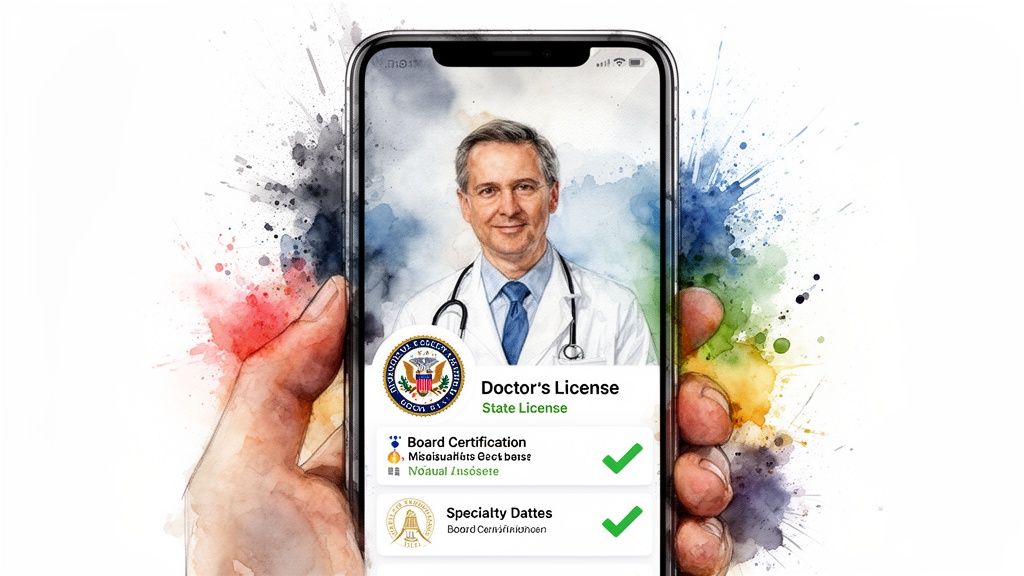
Once you’ve landed on a platform, you’re at the most important step: making sure the doctor you’re about to see is the real deal. In virtual care, credentials are everything. Reputable services make this easy, but you need to know what to look for to make sure your care is safe, legal, and actually helpful.
The single most critical credential is state licensure. A doctor must hold an active medical license in the state where you are physically located at the time of your visit. This isn’t a friendly suggestion—it’s a legal requirement designed to protect you.
For example, if you live in Texas but are on a work trip in California when you get sick, the doctor treating you must be licensed in California. This rule ensures they’re held to the right standard of care for your location. The best platforms, like ChatWithDr, handle this automatically, connecting you only with a physician licensed to treat you in your state.
Confirming a Doctor's Qualifications
Beyond the license, a couple of other key details offer real peace of mind: board certification and clearly listed specialties. These tell you a doctor has gone the extra mile in their training and has experience in specific areas of medicine.
- Board Certification: This is a big one. It means a doctor has voluntarily passed advanced exams and training beyond basic licensing to prove their expertise in a field like Family Medicine or Internal Medicine.
- Specialties and Conditions Treated: The platform should be upfront about what their doctors can handle. If you’ve got a stubborn rash, you want to see that their physicians are experienced with dermatology issues.
Think of it this way: Vetting an online doctor is like checking the Michelin stars for a restaurant before you book a table. You want to see the proof of expertise before you commit. A transparent platform will proudly display its doctors' credentials.
A Practical Vetting Scenario
Let’s say you’re dealing with a nasty sinus infection and need antibiotics before a big trip. Your goal is to find a telehealth doctor who can help you fast.
Here’s your quick vetting checklist:
- Check the Service Scope: Does the platform's "Conditions We Treat" page explicitly mention sinus infections? A quick glance should confirm it.
- Verify Licensing: During sign-up, the platform must ask for your current location. This is how they match you with a state-licensed physician. It’s a non-negotiable step.
- Review Physician Profiles: While some services assign doctors automatically, many let you see a profile or bio. Look for "Board-Certified in Family Medicine" or something similar—that’s a green light that they’re well-equipped for urgent care needs.
Taking these few quick steps ensures you can move forward with confidence, knowing you’re in the hands of a qualified professional. It’s the essential due diligence that separates legitimate, high-quality medical care from sketchy online services and makes your virtual visit just as safe as an in-person one.
Navigating Costs and Prescriptions
Let's talk about the financial side of telehealth, which is thankfully much simpler than deciphering a traditional medical bill. When you're looking for a telehealth doctor, you'll generally run into two main ways to pay: flat-fee services or platforms that bill your insurance.
Knowing which is which helps you pick the right service for your needs.
Flat-fee platforms like ChatWithDr offer total transparency, which is a huge relief. You pay a single, upfront price—like $39.99—and that covers your entire consultation. It’s a great system for those urgent, one-off issues where you just need a diagnosis without getting tangled up in insurance paperwork or surprise bills.
On the other hand, services tied to insurance plans or major hospital systems will bill your provider directly. This can be perfect for ongoing care, but it also means you'll likely have a copay and need to keep your annual deductible in mind.
Making Payment Simple with HSA and FSA
One of the best financial perks of virtual care is that your visit is almost always an eligible expense for your tax-advantaged health accounts. Using your Health Savings Account (HSA) or Flexible Spending Account (FSA) is a really smart way to pay for telehealth.
Most platforms let you use your HSA or FSA debit card right at checkout, just like a normal credit card. This means you’re paying for your care with pre-tax dollars, which instantly saves you money and makes an already affordable option even more budget-friendly.
The explosive growth in telehealth is making these payment options standard. Patient demand for convenience is fueling a market projected to nearly double from $94.14 billion in 2024 to $180.86 billion by 2030. This fierce competition keeps services affordable and focused on what patients need. You can discover more insights about this rapid expansion from telemedicine industry statistics.
How Online Prescriptions Work
Getting a prescription from an online doctor is a smooth, secure, and incredibly fast process. If the physician decides you need medication, they'll send an e-prescription electronically straight to your preferred local pharmacy.
This seamless system means your prescription is often ready for pickup within an hour or two after your consultation ends. All you need to do is tell the doctor the name and location of your pharmacy—whether it’s a big chain like CVS or Walgreens, or your favorite neighborhood spot.
Once you get to the pharmacy, the process is exactly what you're used to.
- Provide Your Insurance: The pharmacy will run the prescription through your insurance to cover the medication cost.
- Pay Your Copay: You’ll only be responsible for your standard prescription copay.
- Pick Up Your Medicine: You get the treatment you need without any extra hurdles.
This two-part payment system is key: you pay the telehealth platform for the doctor’s time and expertise, and you use your insurance at the pharmacy for the actual medicine. For a deeper look, check out our guide on how to get an online prescription quickly and safely. It’s a straightforward system that puts fast, effective treatment right at your fingertips.
Getting Ready for Your Virtual Visit
To get the most out of your consultation, a few minutes of prep work can make all the difference. Think of it this way: for a virtual visit, especially a text-based one, you need to paint a clear, concise picture of what’s going on for the doctor. Being ready helps them give you a fast, accurate diagnosis.
Before you even touch that intake form, just take a moment. Gather your thoughts and pull together some key info. It's a small step that pays off big time in the quality of care you'll receive.
Craft Your Symptom Story
Your doctor needs more than just, "I feel sick." To give them the context they need to help you, jot down a quick summary of your symptoms before you start. It doesn't need to be formal—a simple note on your phone is perfect.
This "symptom story" gives the physician the full picture right from the start. From my experience, a well-prepared patient almost always gets a more precise diagnosis because they've laid out all the crucial details upfront, leaving a lot less room for guesswork.
Make sure your notes cover:
- A clear list of symptoms: Be specific. Instead of "stomachache," try "sharp pain in my lower right abdomen that started this morning."
- The timeline: When did each symptom pop up? Have they gotten better or worse over the last few hours or days?
- Triggers and relievers: What seems to make it worse (like lying down or eating)? And has anything made you feel even a little better (like an over-the-counter medication)?
Gather Your Essential Health Information
Beyond what’s happening right now, the doctor needs a quick snapshot of your overall health. Having this ready to go prevents any back-and-forth delays and helps them make safe and effective prescribing decisions.
You’ll want to have these details handy:
- Current Medications: List everything you take, including the dosages. Don't forget to add any vitamins, supplements, or over-the-counter meds you use regularly.
- Known Allergies: This is a big one. Be sure to mention any allergies to medications, especially common ones like penicillin or sulfa drugs.
- Relevant Medical History: Briefly note any chronic conditions you manage, like asthma or diabetes, or any recent surgeries you've had.
Honestly, having this information compiled ahead of time is the single best thing you can do to make your text-based consultation efficient. The doctor can review your complete profile at once, connect the dots much faster, and build a treatment plan that’s actually right for you.
Tech Checks and Photo Prep
A couple of final checks will ensure everything goes smoothly. First, make sure you have a stable internet or cellular connection. The last thing you want is for your session to drop right as you’re submitting crucial information.
And if your condition is something visible—like a skin rash, pink eye, or a nasty sore throat—clear photos are invaluable. Before you start, take several well-lit pictures from a few different angles. For a trained physician, a high-quality photo can often be just as informative as an in-person look, making it a critical part of your prep for seeing a telehealth doctor near me.
Common Questions About Finding a Telehealth Doctor
Even after you've found a promising service, it's totally normal to have a few last questions before you start your first virtual visit. Let's clear up some of the most common ones so you can move forward with confidence.
Can an Online Doctor Prescribe Medication?
Yes, absolutely. A properly licensed physician practicing on a legitimate telehealth platform can prescribe a wide range of common medications. This is perfect for things like antibiotics to clear up an infection, allergy relief, or refills for many of your ongoing prescriptions.
There are some limits, though. It's important to know they cannot prescribe controlled substances. If your doctor determines a prescription is the right move for you, it’s sent electronically right to your local pharmacy. You can then use your insurance there to cover the cost of the medicine, just like you normally would.
This decision tree gives you a simple way to think about getting ready for your visit based on what's bothering you.
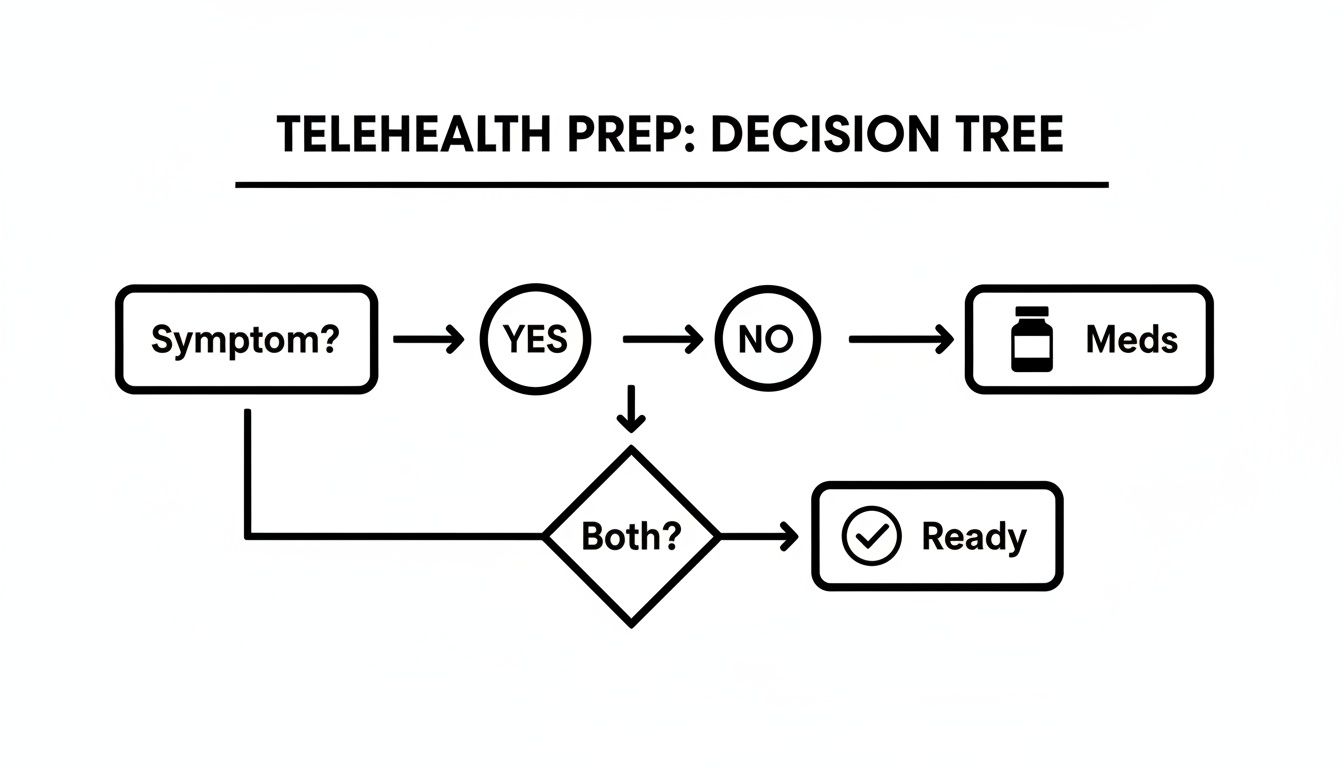
The main takeaway here is pretty clear: being ready with photos for visible symptoms or having your medication list handy makes the whole consultation more efficient and effective.
Is My Personal Health Information Kept Safe?
Patient privacy isn't just a feature; it's a legal requirement for any reputable telehealth service. You should only use platforms that are explicitly HIPAA-compliant. This means they follow strict federal laws designed to protect your sensitive health information.
These services use serious, enterprise-grade security and encryption to protect every message between you and your doctor. This ensures your consultation and personal data are kept just as confidential as they would be in a traditional doctor's office.
When Should I Use Telehealth Instead of Going to the ER?
This is a critical distinction, and getting it right is key to your safety. Telehealth is a fantastic tool for urgent but non-life-threatening conditions. It's the perfect solution for issues like:
- Urinary Tract Infections (UTIs)
- Sinus infections and congestion
- Common skin rashes
- Migraines or allergy flare-ups
A true medical emergency, on the other hand, involves severe symptoms that could be life-threatening. You should call 911 or get to the nearest emergency room immediately for any of the following:
- Chest pain or difficulty breathing
- Sudden weakness or numbness, especially on one side of the body
- Fainting or sudden confusion
- Major injuries or bleeding that won't stop
Telehealth platforms just aren't set up to handle these critical situations.
Think of it this way: Telehealth is for problems that are urgent but not dangerous. The ER is for situations where your life or long-term health could be at risk. When in doubt, always err on the side of caution and seek emergency care.
Do I Need a Video Call to See a Doctor Online?
Not always. While some older services still lean on video calls, many modern platforms now use a text-based (or "asynchronous") model. This approach offers incredible convenience and privacy, letting you talk with a doctor on your own schedule without ever needing to be camera-ready.
You just submit your symptoms and upload any relevant photos. A board-certified physician then reviews your case, provides a diagnosis, and creates a treatment plan. It’s a highly effective method for a huge range of common conditions and is often preferred by patients who value flexibility. If you want to dive deeper, our guide to telehealth frequently asked questions has even more detail.